Discord · Multi-server · Bot · Europe
Multi-server – one bot, many Discord communities
Streaming for multiple communities or managing several servers? With Streamboard you set up multiple Discord targets – each server gets the right go-live post without a separate tool per server.
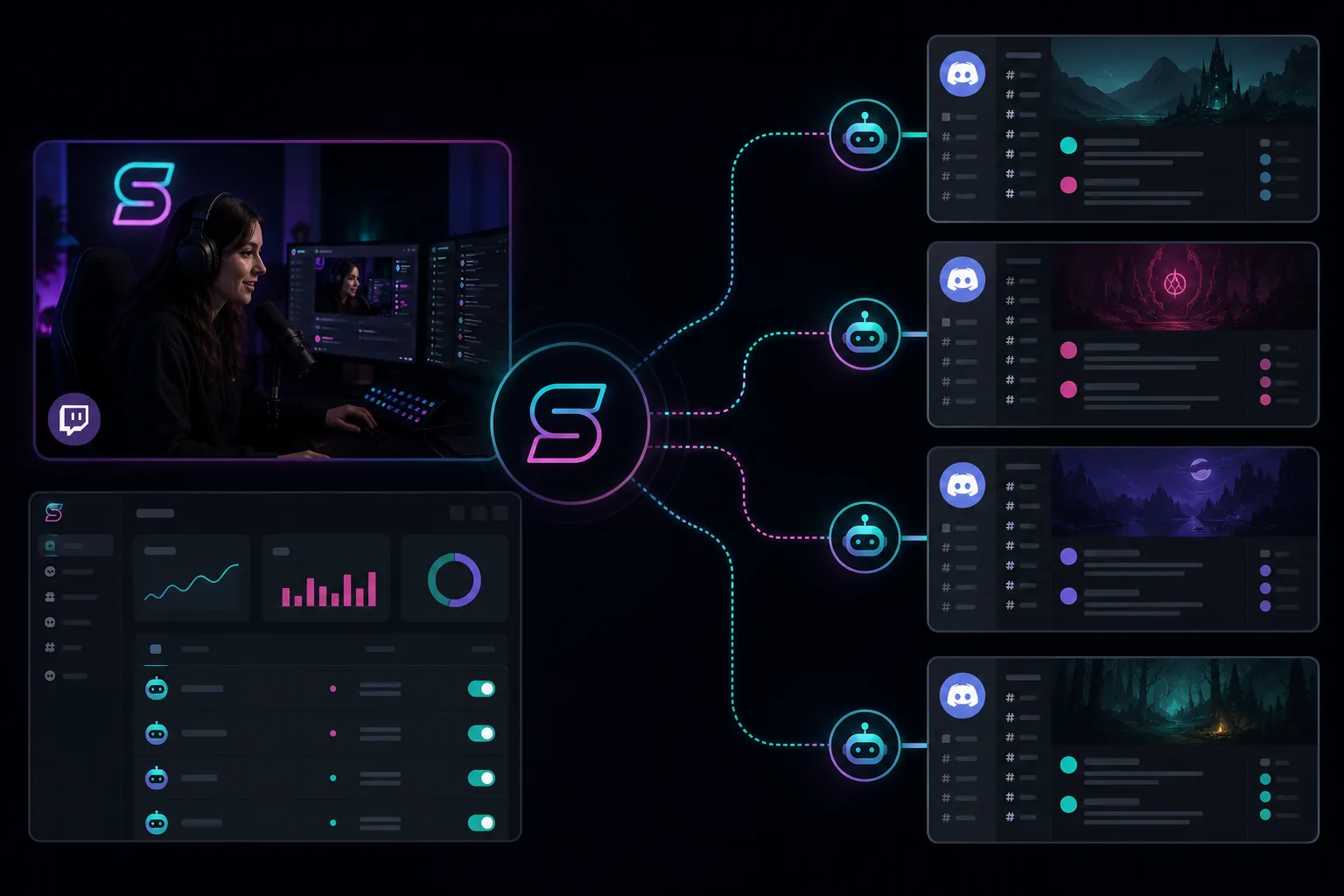
One Streamboard account sends the same go-live signal to multiple Discord servers, Discord channels and Telegram targets. Streamboard is a hosted service: nothing to install, no computer that has to stay switched on. The live sources are Twitch via EventSub and Kick via the official webhook – both feed Discord and Telegram targets alike.
When multi-server makes sense
Multi-server fits creators with a community hub and partner servers, agencies with talent rosters, or teams with separate announcement and mod channels. Technical base: EventSub · Design: Templates · Details: Discord · Features · FAQ.
Where a hosted multi-target service is different
Go-live alerts are solved by several categories of tooling. The difference is less about the destination platform and more about where the software runs and how many targets a single account can serve.
Locally installed alert programs
Software you install on your own machine only sends while that machine is running. Whether Kick is available as a source depends on the individual program.
Discord-only bots
A bot built purely for Discord stops at Discord. Telegram targets and analytics for your own channel then become a second setup with a second account.
Streamboard: hosted, many targets
Streamboard runs in the browser as a hosted service. Discord servers, Discord channels and Telegram targets all hang off one account – together with the analytics for your own channel.
One live moment, different audiences
You decide per target which channel gets which message – loud in the community hub, quieter in the team area, or in parallel on Telegram.
For creators with multiple communities
- Main server + partner or clan servers
- Different channels per audience
- Same live signal, tailored copy
For agencies & networks
- Talent servers and agency hub in parallel
- Clear separation of announcements and internal channels
- Scalable without bot chaos
Multi-server in the Streamboard board
Manage targets, assign templates, and set up the EventSub signal once.
Targets per server & channel
Choose which Discord server uses which channel for go-live posts – with its own permissions and bot rights.
Templates per target
Each target can use its own embed layout – see Templates & placeholders.
Alongside Telegram
Combine Discord and Telegram – multi-server on Discord, push to phones.
Frequently asked questions about multi-server
Do I need a separate bot per server?
No. Streamboard uses one bot account that you invite to multiple Discord servers – each target is configured separately in the board.
Can I send different messages per server?
Yes. Per target you can choose its own template and channel – ideal for community vs. partner servers.
How do I set up multi-server?
Invite the bot, add a target, pick channel and template – step by step on the Discord notifications page.
Does my computer have to be running for the notification to go out?
No. Streamboard is a hosted service and processes the live signal on its own servers. Your computer can be switched off – that is exactly what sets the service apart from locally installed alert programs.
Can one account serve several Discord servers and Telegram targets at the same time?
Yes. Discord targets and Telegram targets sit in the same account and are triggered by the same live signal.
Activate multi-server bot
Create an account and manage Discord targets in the board – one live signal, as many servers as you need.